

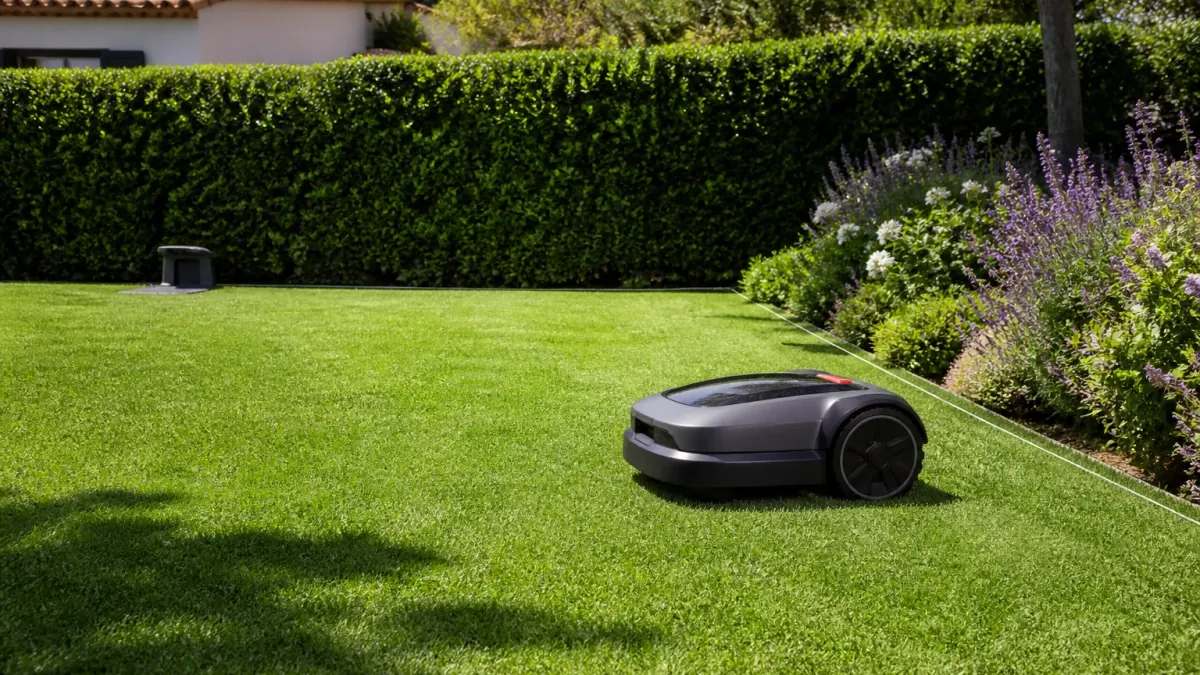
Automower 305 at a glance
Husqvarna’s current UK product page describes product number 967 97 40-03 as a compact robot mower for lawns up to 600 m². It lists a physical boundary wire, three pivoting blades and Bluetooth app control. The manufacturer’s stated slope limit is 40% inside the work area and 15% along the boundary wire.
The 600 m² figure is a manufacturer capacity rating, not a guarantee for every yard. Narrow passages, separate areas, installation and scheduling can affect coverage. The operator’s manual gives the area-capacity figure with a ±20% tolerance. Treat the rating as a starting point, then check the lawn's actual layout and the time available for repeated mowing cycles.
Specifications in the manufacturer documentation
The following figures come from Husqvarna’s UK product page for product number 967 97 40-03 and its 2021 Automower 305 operator’s manual. They are specifications, not results from our own testing. A used or regional unit should be matched to its rating label and manual before these values are applied to it.
| Rated working area | Up to 600 m² (about 6,458 sq ft); manual states ±20% tolerance |
|---|---|
| Boundary | Physical boundary wire |
| Maximum slope | 40% inside the work area; 15% along the boundary wire |
| Cutting system | Three pivoting blades; 22 cm cutting width |
| Cutting height | 20–50 mm (0.8–2.0 in) |
| Typical mow and charge times | 60 minutes each, according to the manual |
| Weight | 9.4 kg (about 20.7 lb), according to the UK product specification |
| Noise | 58 dB(A) measured; 59 dB(A) guaranteed in the manual |
| Connectivity | Bluetooth; the standard model is not listed as Wi-Fi connected |
Husqvarna also lists a weather timer and frost guard. These features adjust or interrupt the mowing schedule; they should not be read as a promise to operate in every weather condition. Follow the regional manual for cleaning and storage.
Bluetooth connectivity and app control
Husqvarna lists the documented standard Automower 305 under Bluetooth-only models. Its Automower Connect@Home feature pairs with a phone nearby; it does not provide built-in Wi-Fi for remote control from anywhere. Husqvarna says an Automower Connect kit can add remote connectivity to compatible 305 units and must be installed by a dealer.
The official product specifications list GPS theft tracking as unavailable on the standard 305. This page therefore does not describe the documented standard model as GPS-mapped, Wi-Fi enabled or remotely controllable by default. Confirm whether a particular used or regional unit has an optional connectivity kit before relying on those functions.
Boundary wire and weather limits
The Automower 305 uses physical boundary wire. Installation is part of the system: the wire defines the work area, and a guide wire can help the mower find narrow passages and return to its charging station. Husqvarna’s manual includes specific spacing instructions and says to isolate slopes that exceed the model’s limits.
The manual identifies the mower as IPX5, but that rating does not mean the product is submersible or immune to water damage. Husqvarna warns that damage caused by high-pressure washing or submersion is not covered by its warranty terms. The official product page says the mower can be cleaned with a garden hose; use the instructions for the exact unit and avoid pressure washing.
Assess the lawn and daily schedule
Use the 600 m² figure as a planning limit for the documented product, not as a promise that every 600 m² property will be cut equally well. The manual states an area-capacity tolerance of ±20%, and the actual layout matters: tight passages, separate zones, long travel between the charging station and work areas, and steep edges can reduce practical coverage. Sketch the lawn and note these constraints before deciding whether the model has enough margin.
The manual lists around 60 minutes of mowing followed by around 60 minutes of charging under its stated conditions. A robot mower works over repeated scheduled sessions rather than finishing the entire lawn in one pass. Check that the proposed schedule fits local mowing hours, household routines and the time needed to maintain the grass. If the property is close to the capacity limit or grows quickly in spring, ask a Husqvarna dealer whether the working area and schedule are suitable for that lawn.
Measure slopes along the perimeter separately from slopes inside the working area. The 40% internal limit does not apply to the boundary: the manual lists 15% along the boundary wire. A slope percentage is rise divided by horizontal distance, not degrees. At an edge, a route that exceeds the boundary limit can lead to loss of traction or the mower leaving the intended area. Follow the manual's method for isolating steep sections rather than using a generic slope conversion.
Plan the boundary and guide-wire installation
The physical loop is an essential part of this model, so installation quality affects how reliably the mower stays in its work area and returns to the charging station. Confirm the package contains the wire, connectors and stakes needed for the intended layout; the current UK listing reviewed for this guide says loop wire and stakes are not included. The exact contents can vary by region or bundle, so verify them with the seller before ordering.
Before laying wire, mark lawn edges, beds, trees, ponds, narrow passages, charging-station position and any zones where mowing must stop. Use the clearances and wire distances in the manual for the exact product number. The guide wire helps the mower navigate back through the installation; its placement should follow the manufacturer's routing instructions. If there are multiple separate lawn areas, a narrow corridor or a complex boundary, ask an installer or dealer to check the plan before you bury or fasten the wire.
After installation, test the loop and the return path as the manual describes. Keep the cable and connectors protected from garden tools and routine edging. Do not use a generic robot-mower diagram if its wire distances or accessory layout belong to a different Husqvarna generation.
Choose a suitable charging-station location
The charging station is part of the installation, not an accessory to place wherever a socket happens to be. Select a stable, level location with the clearances specified in the Automower 305 manual and a route that lets the mower approach and leave without obstacles. Check that the outdoor power supply and low-voltage cable can be protected from mowing, edging, water and accidental damage. Do not copy the station dimensions from a newer model or move the power supply into an enclosed space.
Before fixing the station, sketch its position against the perimeter and guide-wire route. Think about whether the robot will need to cross a narrow passage to reach the far side of the lawn, and whether people, pets or garden equipment regularly block that route. A location that is easy to reach for maintenance can also make it easier to inspect the charging contacts and keep the area clear.
During commissioning, watch the mower dock and depart several times. If it fails to find the station or follows an awkward path, compare the installation against the manual before moving the station or changing the loop. Correct placement and wire routing can resolve a repeated navigation issue more effectively than extending the scheduled mowing time.
Cleaning, blades and seasonal storage
Husqvarna's manual and support materials should guide cleaning and inspection. The three pivoting blades are replaceable wear parts; check their condition and mounting as instructed, and use the specified replacement parts. Stop and isolate the mower before inspecting the cutting system. Do not handle blades while the product is connected to its charging station or leave loose fasteners in the housing.
Remove grass debris using the method allowed by the manual. Although the product is specified as IPX5 and the product page describes garden-hose cleaning, avoid pressure washers and submersion because Husqvarna warns these can cause damage. Keep the charging contacts clean and check the charging station and cable before the mowing season.
For winter or extended storage, use the exact manual for battery charging, cleaning, indoor storage and charging-station handling. This page does not prescribe a generic battery-storage percentage or interval because those instructions can change by battery and product revision. If the mower shows a charging, boundary or blade fault, record the message and consult the manual or dealer before continuing operation.
Check coverage after installation
Do not judge coverage from the first short run. Once the boundary and guide wires have been installed according to the manual, observe the mower across several complete mow-and-charge cycles. Check whether it enters each passage, reaches the areas on both sides of the charging station and returns to dock without crossing a boundary or stopping repeatedly. The manual’s stated 60-minute mowing and 60-minute charging periods are typical values, not a guaranteed schedule for every lawn.
If a strip remains uncut, record where it occurs and compare the boundary, guide-wire route and passage width with the manual before changing settings. A dead end, narrow corridor, isolated island or steep edge can affect movement differently. Change one installation detail at a time and observe another cycle so you can identify whether the change helped. If the mower reports a boundary or charging fault, use the exact error and product-number manual rather than guessing from another Automower generation.
Regular mowing also depends on grass condition. This is a robotic mower that maintains a lawn through repeated light cuts; it is not intended to clear long growth in one session. Cut the grass down with a conventional mower before commissioning if the manual recommends it, then monitor growth as the season changes. If the lawn needs more coverage time than the model can provide, ask a Husqvarna dealer to check the area rating and schedule against your layout rather than overriding local mowing-hour rules.
Checks to make before buying
- Match the model name and product number on the unit or listing; do not assume Automower 305 and 305E NERA share the same features.
- Measure the lawn and check narrow passages, disconnected areas and slope near the boundary wire against the manufacturer’s limits.
- Confirm whether the required boundary wire and installation materials are included; the official UK listing notes that loop wire and stakes are not included in its package.
- Check whether app control is Bluetooth-only or an optional connectivity kit is installed.
- Ask a local Husqvarna dealer or seller to confirm current stock, regional warranty and replacement-part support.
These checks identify the product and whether the installation suits your lawn. Husqvarna’s model page and manual are the basis for the specifications above; ask a local dealer to confirm the current package, installation materials, warranty and service route for your country.
After commissioning, observe several full mowing and charging cycles before judging coverage. Check whether the mower reaches each area, returns to the station and avoids the boundaries you intended to protect. If it repeatedly misses a corner or stops at a passage, compare the installed loop and guide wire with the manual rather than changing the schedule blindly. A boundary fault, charging problem or repeated stop should be diagnosed from the exact error message and product-number manual.
Husqvarna lists a weather timer and frost guard for the documented 305. These are scheduling features, not permission to leave the machine exposed to every condition. Review the settings after installation and as seasonal growth changes, keep blades in serviceable condition and follow the manual's limits for cleaning and storage. A mower that runs for more hours is not necessarily the right fix for a layout that exceeds its working-area or slope constraints.
📚 Sources and references
Authoritative sources consulted to write this guide:
- Automower 305 product page and specifications — Husqvarna UK
- Automower 305 operator’s manual (2021) — Husqvarna
- Connect and control Automower with the Automower Connect app — Husqvarna Support