

What wire-free means
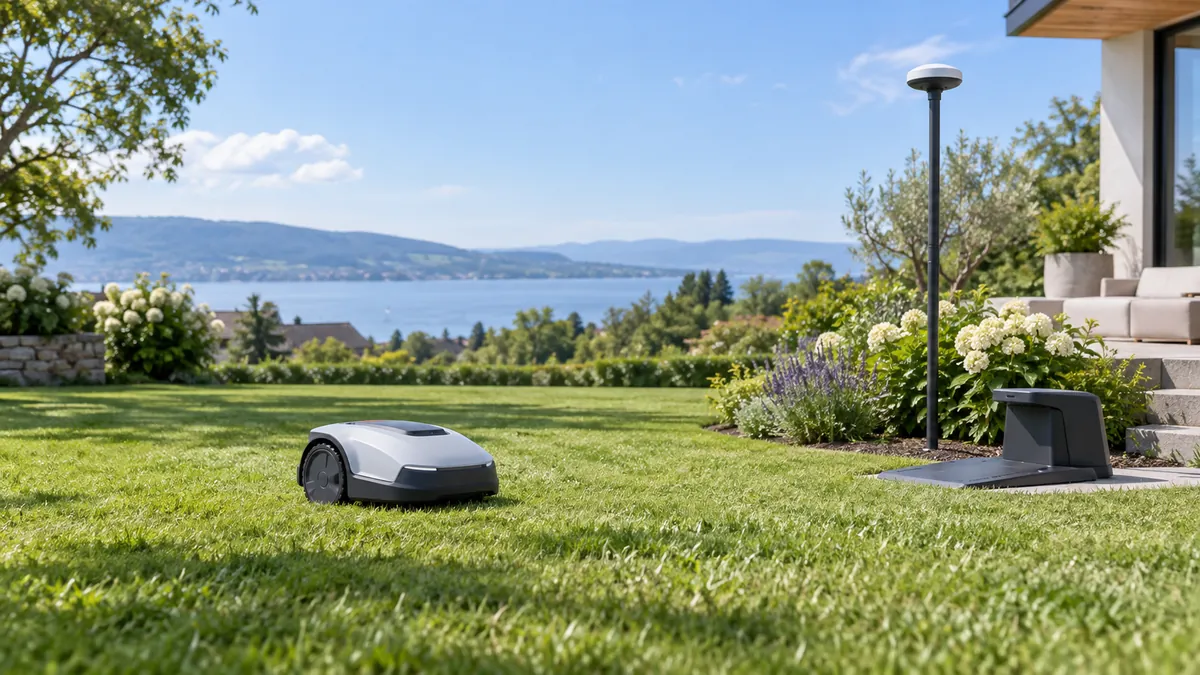
A traditional robotic mower follows a low-voltage boundary wire installed around the lawn. A wire-free model instead creates a virtual boundary in its app. Depending on the system, the map is tied to satellite positioning, a local reference antenna, cameras, LiDAR or a combination of sensors.
“No perimeter wire” does not mean “no setup.” The mower still needs a charging dock connected to power, a place to return to, a map of the lawn and a way to handle paths between separate sections. Some systems also need a positioning antenna with a suitable location. The manufacturer’s installation instructions matter as much as the headline coverage figure.
How wire-free navigation works
RTK GNSS uses satellite signals and correction data to improve positioning. A system with a local reference station may need that station mounted where it can receive signals reliably. Segway describes its Navimow i105 as using EFLS 2.0 positioning with centimetre-level accuracy, together with camera-based VisionFence obstacle avoidance. ECOVACS describes the GOAT O1000 RTK as using RTK, a camera and 3D time-of-flight sensing in its LiDAR-enhanced navigation system.
These are different sensor combinations, so the label “RTK” alone does not tell you how a mower behaves in a shaded corner or a narrow passage. ECOVACS says the GOAT can use visual positioning when RTK reception is affected in a shaded area, while warning that larger signal gaps can still impair positioning. Segway’s installation guidance says to avoid locations where walls, hedges or trees obstruct the antenna’s view of the sky. Treat a manufacturer’s coverage and slope figures as conditions to check, not as a promise for every garden.
Obstacle detection and boundary navigation also solve different problems. A camera may identify an object in the mower’s path; positioning keeps the machine aligned with its mapped area. Neither feature should be treated as a substitute for clearing the lawn, setting no-go areas and following the safety instructions.
Check the garden before choosing
- Measure mowable grass. Exclude patios, sheds, beds, ponds and other areas the mower will not cut. Do not use the size of the entire property as the lawn measurement.
- Draw each section. Record separate front, back and side lawns, plus any corridor connecting them. Check whether the product supports the number of zones and channel types you need.
- Look for blocked sky and signal gaps. Note mature trees, tall walls, eaves and narrow corridors. Check the manufacturer’s station-placement instructions and any signal-quality tool before committing.
- Measure slopes where the mower will travel. Record the steepest working slope and the slope at edges separately. A model may have different limits for those situations.
- Plan the dock and antenna. Confirm there is a practical, powered location for the charging station and room for the antenna, cables and mower to enter and leave safely.
- Think about people, pets and obstacles. Identify play areas, toys, furniture and times when children or animals use the lawn. Check the manual’s restrictions and safety guidance.
Check the installation package and service
Before comparing prices, identify the complete regional package. Check whether the mower includes its charging station, power supply, positioning antenna or pole, mounting parts and any boundary markers. Confirm whether the manufacturer requires a separate accessory, paid mobile service or app subscription for the features you need. A listing photo may show hardware that is not included in the selected bundle.
Ask how the model is supported where you live. Check the warranty territory, authorized service options, replacement blades and battery availability, and what happens if the positioning service is temporarily unavailable. If a dealer offers installation, request the work scope in writing: mapping, signal checks, restricted areas, handover and later map changes may be treated as separate services.
For a garden with trees, walls or narrow corridors, do not assume a demonstration on an open lawn proves that the system will work at your property. Ask whether the manufacturer or installer can assess the site and what evidence they use to confirm signal coverage. If possible, arrange a test in the shaded or obstructed areas before the return period ends. Save the map and installation notes so support can diagnose later coverage changes.
Also check how the mower behaves when positioning is briefly interrupted. The supported response may be to pause, retry, return to the dock or rely on another sensor; do not assume a camera will maintain the digital boundary when satellite reception drops. Ask whether maps and no-go zones are stored on the mower, in an app account or in a cloud service, and whether the mower can continue if Wi-Fi or mobile coverage is unavailable.
Two models compared by official specifications
The examples below show why a headline “maximum lawn size” is only one part of a choice. The Segway Navimow i105 is specified for up to 0.125 acre and a 30% working slope. ECOVACS lists the GOAT O1000 RTK for up to 0.25 acre, with a 45% maximum working-area slope and a separate 17% maximum at a virtual boundary. Those figures come from each manufacturer; the test conditions may differ and should not be read as a direct performance test.
The Navimow pairs EFLS 2.0 positioning with VisionFence and offers manual cutting-height adjustment from 2 to 3.6 inches. ECOVACS lists RTK plus camera and 3D ToF sensing, a 2.3-foot narrow-passage figure, and a 1.2-to-3.2-inch cutting range. The GOAT’s 45% slope figure applies to the working area; its published virtual-boundary limit is lower. If the garden has steep edges, narrow routes or significant tree cover, compare those specific conditions with the manuals and support guidance rather than relying on the largest number in a product summary.
Retailer availability depends on delivery country and can change independently of the manufacturer’s specifications. This page does not rank current offers or display a purchase card; use the manufacturer references below to confirm the exact regional model and installation requirements.
Specification comparison
| Published specification | Segway Navimow i105 | ECOVACS GOAT O1000 RTK |
|---|---|---|
| Recommended area | Up to 0.125 acre | Up to 0.25 acre |
| Navigation listed by manufacturer | EFLS 2.0 positioning and VisionFence | RTK, camera and 3D ToF |
| Maximum working slope | 30% (17°) | 45% (24°); virtual-boundary limit 17% |
| Cutting-height range | 2–3.6 in, manual adjustment | 1.2–3.2 in |
| Noise emission stated by manufacturer | 58 dB(A) | 57 dB(A) |
Specification values are taken from the linked manufacturer pages, accessed 10 October 2026. They may change by market or model revision. Confirm the exact regional model and current manual before purchase.
A practical selection process
Start with area, then check the difficult parts. Choose a model whose stated capacity comfortably covers the mowable grass, but do not stop there. A garden below the advertised maximum can still be a poor match if it has steep edges, weak positioning coverage or passages outside the maker’s limits.
Compare the exact signal setup. Find out whether the model needs a local antenna, network RTK, Wi-Fi, a mobile connection or a combination. Confirm where the antenna should go, whether the service is available in your region and what happens when satellite reception weakens. Product families can differ, so use the manual for the exact model code.
Match the cutting-height range to the grass. Check that the available range suits the turf and season in your area. Most robotic mowers are intended to maintain grass with frequent light cuts; a mower’s maximum area does not mean it is suitable for clearing long, neglected growth. Follow the maker’s instructions for first use and seasonal maintenance.
Account for the boundary work that remains. A digital map removes the perimeter cable, but the lawn still needs edge trimming if the virtual boundary leaves an uncut margin. Check how the model handles edges, paths and restricted zones, and whether the shape of your garden can be mapped using its supported method.
Choose based on the site, not a “best” label. The i105’s published capacity and cutting range may suit a smaller, less steep lawn. The O1000 RTK’s published area and working-slope limits are higher, but that does not establish which will work better in a particular garden. Confirm coverage, exact model support and service access where you live.
Setup, boundaries and safety
Before mapping, trim overgrown areas and remove toys, hoses and loose branches. Install the dock and any positioning equipment as the manual specifies. Walk the planned route and mark beds, water features, drop-offs and other places the mower must avoid. Keep a record of separate zones and the channels connecting them.
After mapping, inspect the virtual boundary from the app against the real lawn. Run the mower while you can observe it, especially near edges, slopes and narrow channels. Correct the map or create restricted areas if the mower approaches places it should not enter. Recheck boundaries after moving a station, changing the garden layout or updating the map.
Robot mowers contain cutting blades. Follow the manual for blade handling, cleaning, lifting, storage and weather. Keep people and pets away while the mower is operating, and never assume that obstacle recognition will detect every animal or object.
After the first week, compare the finished lawn with the map rather than only checking the app’s completed schedule. Look for missed strips beside fences, corners the mower repeatedly avoids, rutting at turns or repeated return-to-dock events. If you change a boundary, test the new edge while the machine is supervised. A digital map can be edited quickly, but an incorrect boundary can expose beds, paths or neighboring property to the blades.
Keep a record of the antenna location, map version, restricted zones and the exact mower model. If the station or antenna has to move, the geometry may need to be checked or mapped again. This is especially relevant after building work, adding a shed or changing a tall hedge: a previously reliable signal path can change even though the lawn itself looks the same.