

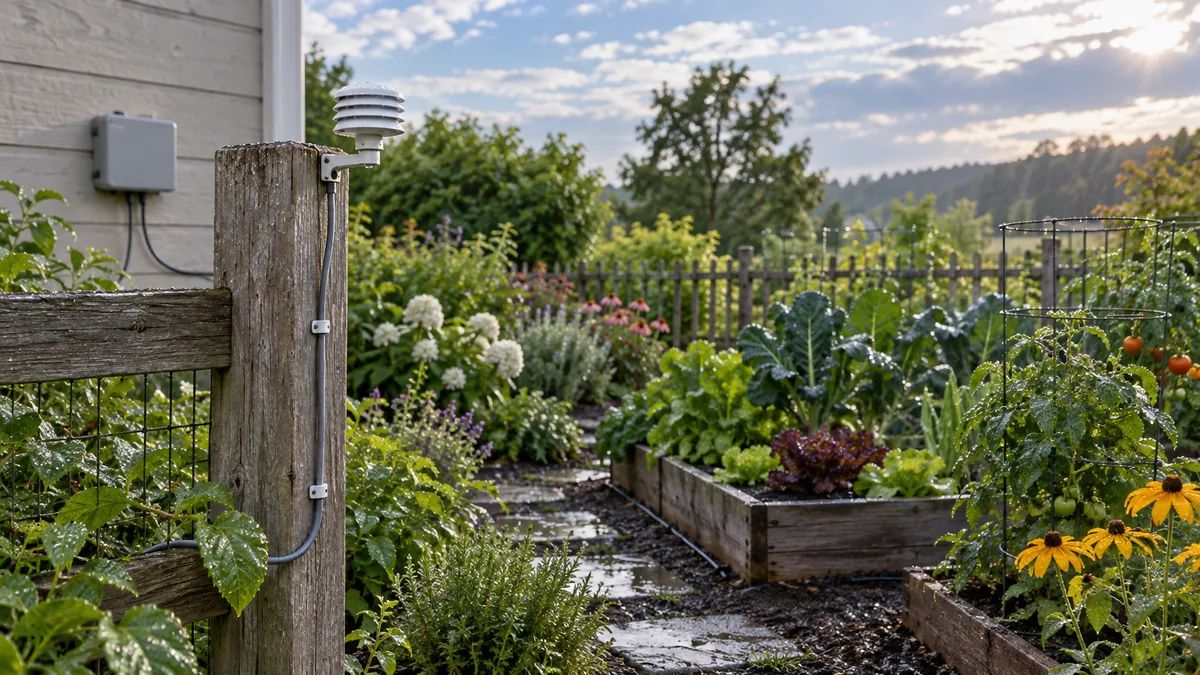
Identify the Hunter Mini-Clik wired rain sensor
Mini-Clik is Hunter’s wired rain sensor model. The manufacturer describes a sensor that interrupts irrigation after rainfall reaches an adjustable setting. It is separate from wireless rain sensors and from a weather-based irrigation controller. Confirm the model number on the device or package before using a wiring guide: other Hunter sensors can have different terminals and behavior.
Start with Hunter’s Mini-Clik installation manual, which includes the product features, dimensions, wiring note and adjustment instructions.
Hunter Mini-Clik settings and published specifications
| Published item | Mini-Clik specification | Check before installation |
|---|---|---|
| Rainfall threshold | Adjustable shutoff from 3 to 25 mm | Set according to the manual and local conditions. |
| Cable | 7.6 m, 0.5 mm² (20 AWG), 2 conductor | Plan cable routing and use the specified connection method. |
| Switch rating | Current product sheet: 24 VAC, 3 A | An older Hunter brochure lists 5 A; verify the exact model revision before wiring. |
| Wiring note | Generally interrupts the common wire between valves and controller | Confirm the exact controller diagram and sensor mode. |
| Warranty | Hunter manual states a 5-year period | Check terms and regional coverage with the seller or Hunter. |
These are manufacturer-published details, not a promise that the sensor will match every irrigation installation. In particular, the switch rating does not replace checking the controller’s wiring diagram.
Controller compatibility and common-wire connection
Hunter says the wired Mini-Clik is compatible with Hunter controllers and most normally open or normally closed irrigation controllers, and notes that it generally interrupts the common wire between solenoid valves and controller. That is not the same as confirming compatibility with every controller that uses 24 VAC. Controllers can differ in sensor terminals, input logic, bypass switches and whether a sensor input is supported. Check both manuals for your exact versions before connecting anything.
- Identify the exact irrigation controller and open its wiring diagram.
- Check the Mini-Clik manual’s common-wire wiring path and the controller’s sensor-terminal instructions.
- Confirm the circuit and connection comply with both manufacturers’ instructions; isolate power before wiring.
- If terminal logic is unclear, stop and have a qualified installer confirm the connection.
Mounting, adjustment and functional test
Mount the sensor where it receives natural rainfall and cannot be triggered by sprinkler spray or blocked by eaves, branches or debris. Follow Hunter’s mounting directions for the bracket or optional gutter accessory. Adjust the rainfall threshold using the positions shown in the Mini-Clik manual; do not transfer settings from another sensor by sight.
After connecting it, perform the manual’s test procedure with a controller zone running. Confirm that irrigation stops when the sensor is activated and that the controller returns to normal operation as described by the manufacturer. Also check whether a sensor-bypass setting is enabled if watering does not stop.
What to verify before buying or replacing a Mini-Clik
- Exact model and the included mounting/cable parts.
- Compatibility with the specific controller’s sensor terminals and input mode.
- Whether the existing wiring route can reach the sensor location using the documented lead.
- Current seller listing, condition, return policy and regional warranty.
The Amazon.com card below identifies a listing previously checked for this exact model; current availability can change. For wired versus other sensor arrangements, use our rain-sensor setup guide and Rain Bird RSD-BEx model reference.
Hunter Mini-Clik wired rain sensor
- ✓ Hunter specifies a 3–25 mm rainfall shutoff range.
- ✓ Match the wiring to the exact controller manual before installation.
Check current price and availability on Amazon.com.
Understand the rainfall threshold and reset time
The Mini-Clik uses an adjustable sensing mechanism to pause a scheduled irrigation cycle after a preset amount of rain. The threshold controls when the pause begins; the sensor's subsequent drying and reset behavior controls when the controller can resume. These are separate parts of operation. The label “rain sensor” does not mean the unit measures soil moisture or knows whether every irrigation zone has received enough water.
Hunter's product information gives an approximate 1/8–3/4-inch rainfall range. Its older Spanish brochure for the wired Mini-Clik gives 3–25 mm. Those ranges are not perfectly equivalent at the upper end, so use the scale and manual packaged with the exact variant rather than converting one range into another. The sensor's exposure, wind, shade, rainfall pattern and the controller schedule also affect how useful a setting is at a particular site.
A sensor can resume watering after it dries even if one bed remains saturated, or it can keep a schedule paused after rain when a sunny exposed area has dried. Inspect plant and soil conditions separately. If the property contains different microclimates, one rainfall sensor cannot represent every zone's moisture. The controller still needs a reasonable schedule, suitable zone grouping and periodic checks.
Separate wired Mini-Clik from wireless variants
This page covers the wired Mini-Clik, which Hunter specifies with a 7.6-metre, two-conductor cable. It is not the wireless Mini-Clik, which uses a separate receiver and has different installation and operating details. Hunter's current product page combines information about both, including wireless-only features such as radio communication and Quick Response. Do not attribute those features to the wired sensor unless the exact model documentation says they apply.
Check the label or packaging for the model suffix before buying a replacement. Hunter lists wired variants such as MINI-CLIK, MINI-CLIK-NO and MINI-CLIK-C, alongside high-voltage and wireless products in the wider family. Similar product names may have different switch behavior, wiring, mounting or circuit requirements. Select the manual by exact model; an article or a retailer photo that omits the suffix is not enough to establish fit.
When replacing an existing unit, photograph the sensor label, controller model, terminals and cable route before disconnecting it. Compare them with the wiring diagram for both devices. Do not reuse an old connection simply because the previous sensor appeared to work; the new controller, valve layout or wiring could differ.
Resolve the published switch-rating discrepancy
Hunter's current Mini-Clik product specification, retrieved for this review, lists all models at a 24 VAC, 3 A switch rating. An older Spanish product brochure for the wired Mini-Clik lists 24 VAC and 5 A. Because the published values differ, this page reports the newer product-sheet value and flags the older figure rather than presenting both as interchangeable. Verify the data plate, exact part number and documentation supplied with the sensor before installation.
A voltage and amp rating alone do not establish that the sensor can be attached to a particular irrigation circuit. Follow the exact controller's sensor-input diagram, observe local electrical requirements and avoid high-voltage wiring unless the product is explicitly the correct high-voltage variant and the installation is handled by a qualified professional. The ordinary wired Mini-Clik should not be treated as a pump-start relay or substituted for a sensor designed for another circuit.
Manufacturer documents can change by region and model revision. If the included instructions conflict with the current product page, contact Hunter technical support with the complete model number and serial or lot information before connecting it. This is especially important for replacements kept in stock for several years, since a reseller listing may combine multiple variants.
Choose an exposed, serviceable mounting location
Mount the sensor where natural rainfall reaches it and where roof edges, gutters, tree branches or sprinkler spray will not interfere. A sensor tucked under an eave may collect less rain than the surrounding bed; a sprinkler aimed at the sensor can trigger a false pause. Avoid a location where debris accumulates or where routine garden work can snag the cable. The final position must follow the model manual and local installation requirements.
Plan access before drilling or fitting the bracket. The device should be reachable for inspection without standing in a bed or leaning over a drop. Route the supplied cable so it is secured against abrasion and does not cross a walkway or hang where it can be pulled. Hunter lists optional mounting accessories for some installations; confirm the exact accessory and sensor variant rather than adapting a bracket that was made for another product.
If one sensor serves several zones, compare its exposure with the areas that dry most quickly and those that retain moisture. A site with full-sun lawn, shaded beds and containers may need separate schedules even though they share a sensor input. The sensor's job is to register rainfall at its own location; it cannot identify the moisture condition of each zone.
Test operation and maintain the sensor
After installation, run a zone and use the test method in the wired Mini-Clik manual to check that the controller responds. Confirm the schedule pauses, then restore normal operation and verify the controller resumes as described by Hunter. Record the date and controller settings. A successful test confirms the response path under the test condition, but it does not prove the mounting location or rainfall setting is appropriate for every part of the property.
If the controller offers a sensor bypass switch, make sure it is in the intended position after testing. Do not leave the sensor bypassed because a rain delay is inconvenient; instead inspect whether the sensor is exposed correctly, whether the setpoint suits the site, and whether the controller is configured to accept the input. Use manufacturer troubleshooting guidance before replacing a sensor.
Check the housing, mounting arm, lead and connections during seasonal system inspections. Clear accumulated debris using the product manual's directions. Although Hunter describes the design as debris tolerant and the current page lists a maintenance-free design for the broader product family, do not assume that every wired revision shares wireless-model battery or freeze features. If a cable is damaged, use a part and repair method approved for that circuit.
Troubleshoot a sensor that does not stop irrigation
If the sensor does not interrupt an active zone during its manual test, check the controller's sensor input or common-wire installation against the diagrams. Confirm the sensor has not been bypassed and that the selected controller input uses the logic supported by the wired model. Isolate power as the manuals specify before touching wiring. If the circuit, rating or terminal sequence is unclear, stop and ask a qualified irrigation technician.
If the test works but rain does not suspend watering, check that rainfall reaches the sensing element and that the threshold has not been set above the amount received. If watering remains paused after the sensor should have reset, inspect for debris or damage and compare the reset description in the manual for the exact variant. Do not infer a fault from app status alone; observe the controller and the actual zone.
When water continues to flow even after the controller is off, the cause may be a valve or plumbing fault rather than the sensor. The Mini-Clik interrupts the controller schedule; it cannot close a mechanically stuck valve. Use the system's safe shutoff if needed and arrange professional service when a leak cannot be stopped normally.
Frequently asked questions
What rainfall amount can the Hunter Mini-Clik detect?
Hunter lists an adjustable shutoff range of 3–25 mm of rain. The exact adjustment method and dial positions are shown in the Mini-Clik manual; use that manual rather than the settings printed for another Hunter sensor model.
Is the Hunter Mini-Clik compatible with any 24 VAC controller?
Do not assume universal compatibility. Hunter says wired Mini-Clik models generally interrupt the common wire and its current product specification lists a 24 VAC, 3 A switch rating; an older brochure lists 5 A. Check the exact sensor revision and controller wiring diagram before connecting it.
How much cable comes with the Mini-Clik?
Hunter specifies 7.6 m of 0.5 mm² (20 AWG), two-conductor cable. Follow the product manual for routing and connection instructions.
Does the Mini-Clik require a battery or Wi-Fi?
The wired Mini-Clik specification describes a switch and two-conductor cable, not a battery-powered wireless sensor. It is not an app or Wi-Fi controller.
How should I test the Mini-Clik after wiring?
Use the test procedure in the Hunter manual with the irrigation controller and an active zone. Confirm that the controller interrupts watering, then restore normal operation. If it does not respond, check the controller settings and wiring diagrams rather than assuming the sensor is defective.
Manufacturer sources and method
- Hunter Industries: Mini-Clik installation manual — rainfall range, cable, switch rating, wiring note, adjustment and test guidance.
- Hunter Industries: Mini-Clik product page — model information and current manufacturer support.